

HDMI Cable
What Is HDMI Cable
One of the best features of HDMI cables is their ability to transfer both audio and video signals using a single cable, cutting down on cable clutter and simplifying your setup. HDMI connections are usually found on devices like TVs, video projectors, PC monitors, DVD and Blu-ray players, cable/satellite boxes, DVRs, and home theater receivers. When it comes to setting up your home entertainment system, HDMI cables make it easy to manage your connections. Plug the cable into the HDMI ports on your devices, and you're ready to enjoy your favorite movies, shows, and games in high definition.
Advantages of HDMI Cable
High-quality video and audio transmission
HDMI cables are designed to deliver impeccable video and audio quality. With support for high-definition (HD) and ultra-high-definition (UHD) video formats, these cables ensure that every pixel is displayed with stunning clarity.
Ease of use and convenience
One of the standout advantages of HDMI cables is their simplicity and ease of use. Unlike the days of multiple cables for video and audio, HDMI combines both into a single cable, streamlining the connection process.
Ersatility and compatibility
HDMI cables are remarkably versatile and compatible with a wide range of devices. Whether it's a television, monitor, projector, or audio system, HDMI cables seamlessly connect your devices, ensuring optimal performance across the board.
Enhanced features and functionality
Beyond delivering high-quality audio and video, HDMI cables offer additional features that enhance your multimedia experience. If you're a fan of 3D content, HDMI cables support 3D video transmission, allowing you to immerse yourself in a three-dimensional world.
-
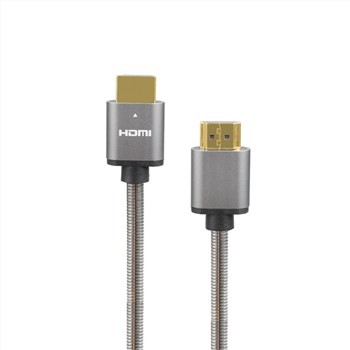
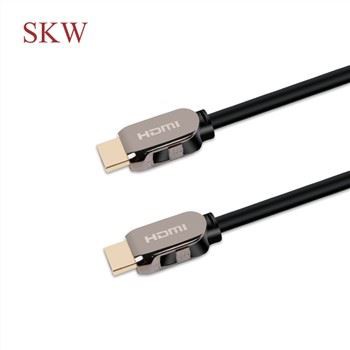
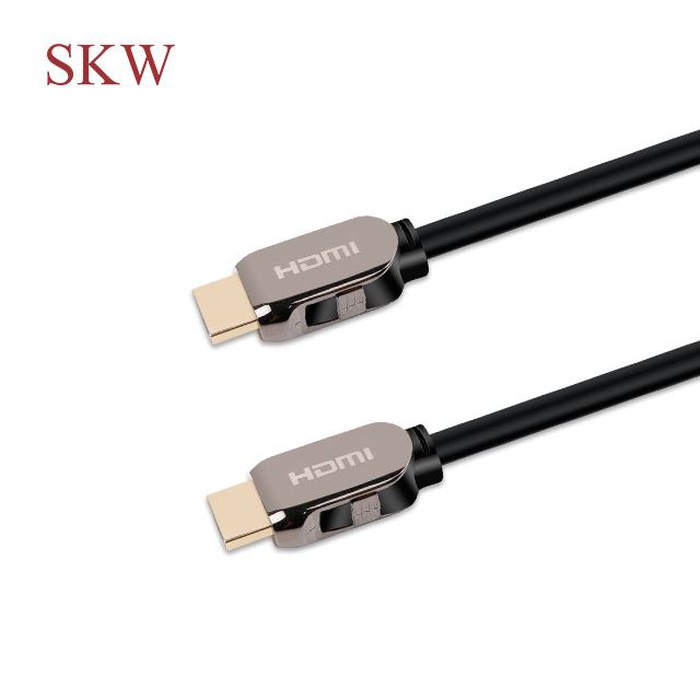
 HIE 8K 48G Ultra HDMI CableCertification: CE, REACH, ROHS. Place of Origin: Guangdong, China. Brand Name: SKW. Model Number:Add to Inquiry
 -
 HIE Ultra 8K 48G HDMI CableCertification: CE, REACH, ROHS. Place of Origin: Guangdong, China. Brand Name: SKW. Model Number:Add to Inquiry
 -
-

-
-
-
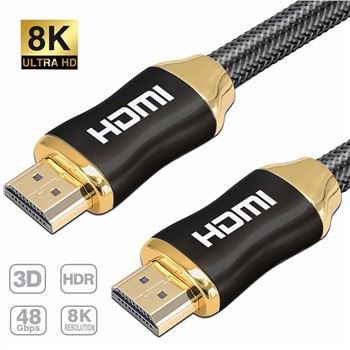
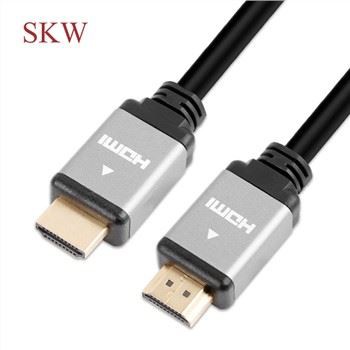
 8K Ultra High Speed HDMI cable 48G2.1V Ultra High Speed HDMI CableModel Number: 5001-79BAdd to Inquiry
 -
-


Tel: +86-756-8699660
Fax: +86-756-8699663
E-mail: sale-9@farreach-electronic.com
Add: No.6 Chuangye Road Est., Shuanglinpian Zone, United Harbour Industrial Area, Zhuhai, Guangdong, China
Why Choose Us
Customer settings
Besides our existing molded products, Farreach also can produce cable products according to the drawings or samples from our customers and offer free and professional design services.
Quality control
We control the product quality critically for every step during the manufacturing from raw meterial to finished products with 100% QC inspection and after sales services.All our products have 1 years warranty,you can rest assured for the quality.
Innovation
HIE was founded in 2009 and specializing in product development and brand operation of consumer electronics and that enhance the digital life of people all over the world. We believe that through innovative design, we can improve the way people interact with technology in their daily lives.
After-sale service
One of the greatest strengths of any product is the support that comes with it. We don’ t just stand by our products with industry-leading warranties, we stand by our customers, and treat each customer’ s question or concern as if it were our own. We support each customer with responsive, friendly, and helpful communication, seeing every question or concern as a valuable chance for us to improve.
Types of HDMI Cable
Standard HDMI cable
Standard is the most basic HDMI cable, designed for earlier consumer applications, such as satellite TVs, DVD players, and screen projectors. It is tested to reliably transmit 1080i or 720p video with a bandwidth capacity of up to 5 Gbps. Standard HDMI cables do not transmit 4K and later resolutions, and HDMI versions 1.0 to 1.2a are native to this cable.
Standard automotive HDMI cable
This cable is similar to a regular HDMI cable, but it is used to connect portable or in-car DVD players and other devices to in-car video displays. To avoid any kind of mess arising out of the electrical system of a nearby car, it has special shields.
High-speed HDMI cable
A High-Speed HDMI cable is designed to handle video resolutions of 1080p and 4K (30 Hz) as well as provide support for 3D and Deep Color. Bandwidth transfer speeds up to 10 Gbps are supported. It is optimized for HDMI versions 1.3 to 1.4a.
High-speed automotive HDMI cable
This type supports the same features as High-Speed HDMI cables but is optimized for the automotive environment. It can perform under unique stresses of the automotive environment like temperature extremes and vibrations.
Premium high-speed HDMI cable
This cable type has been designed and certified for ultra-reliable performance for 4K/UltraHD at up to 18Gbps bandwidth including advanced features such as 4K60, HDR, and expanded color spaces including BT.2020. It is optimized for HDMI versions 2.0/a/b.
Ultra high-speed HDMI cable
This latest HDMI Cable is the only cable that complies with stringent specifications designed to ensure support for all HDMI 2.1a features including uncompressed 8k@60 and 4K@120 up to 48Gbps of bandwidth. The cable can present a video in up to 10K resolution and achieve up to 240Hz on an HDR TV. Ultra High-Speed HDMI supports HDMI 2.1a, meaning it works with almost all HDMI devices as it’ s also compatible with earlier standards.
HDMI cables with Ethernet built-in
Standard, High-Speed, Premium High-Speed, and Ultra High-Speed HDMI cables can also support an additional HDMI Ethernet Channel (HEC). These cables are made to allow multiple HDMI-connected devices to share a single traditional Ethernet connection to a broadband router at speeds of up to 100 Mb/sec. The implementation of this capability on devices is uncommon, nevertheless.
Architectural design & planning cepteur sint occaecat cupidatat proident, taken possession of my entire soul, like these sweet mornings of spring which I enjoy with my whole...Architectural design & planning cepteur sint
HDMI 1.4 and 2.0 don't matter nearly as much as their speed ratings, which the HDMI forum and HDMI licensing administrator also define. Those specifications indicate maximum bandwidths, but they don't specifically define every cable. That's why HDMI cables are classified under one of four speed categories: Standard, High Speed, Premium High Speed, and Ultra High Speed.
Each category has sub-categories based on additional features like an Ethernet channel built into the cable or a stronger signal for automotive use, but you only really need to worry about the main label. Standard is the most basic (and slowest) HDMI cable you can get. It has a bandwidth of 4.95Gbps, which is enough to send a 1080p signal to your TV, but not much more than that. Standard HDMI cables are rare to find in stores, but if you find an unmarked cable in a bucket somewhere or hooked up to a home theater system that hasn't been upgraded in five years, it might be Standard. These don't support 4K video at all. High Speed is over twice as fast as Standard, with a minimum bandwidth of 10.2Gbps. The vast majority of new HDMI cables you shop for will be High Speed or above, which means they can carry a 4K signal. The hitch is that the bandwidth will support only 4K video at 24 frames per second. That's fine if you want to watch movies on Ultra HD Blu-ray, but if you are streaming TV shows or have gaming hardware that can push 4K at 30 or 60 frames per second, it won't be sufficient. High Speed HDMI cables do, however, support HDR and wide color gamuts.
Premium High Speed pushes the bandwidth up to 18Gbps, which covers any consumer-level video source you deal with. They're also very common now. Premium High Speed cables support 4K60, or 4K video at 60 frames per second, with the capacity for BT.2020 color space and 4:4:4 chroma sampling. Basically, they can handle any 4K video you throw at them. These are future-proof cables that will keep you running for the lifespan of 4K content. They can also support 8K and higher resolutions, though with certain frame rate and feature restrictions. Ultra high speed cables are the most extreme home theater future-proofing, and they're becoming more common. Ultra High Speed cables have up to 48Gbps bandwidth and allow for uncompressed 8K video with all the trimmings. More important for most 4K users (and specifically gamers) is support for 4K at 120Hz. If you have a gaming PC or a console capable of pushing 4K speeds greater than 60 frames per second, this cable can handle it.
If you've been keeping count, that's no less than three different cable types with high speed in the name. And if you want 4K120 or 8K60, look for the Ultra High Speed label. It's the most official way to be sure without testing it yourself. Otherwise, if you just see the High Speed descriptor on the cable package, be sure to look for any associated numbers; specifically, the bandwidth and video resolution. It should clearly say 18Gbps or 48Gbps, and possibly 4K60 or 4K120 or 8K somewhere on the box, bag, or listing, depending on the rating. If those numbers aren't there, you can probably watch 4K24 video, but that's about it. And if it doesn't say High Speed anywhere on the package, save it for your old DVD player.
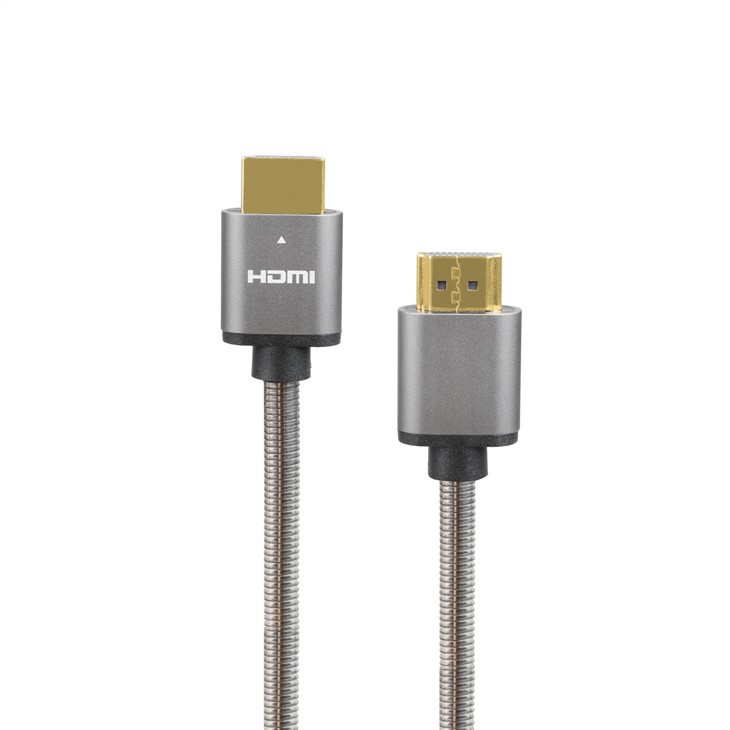
When you are using HDMI cables to connect your devices, such as Blu-ray players, camcorders, and speakers, the impact on audio and video quality becomes an essential topic. HDMI cables bring improvements not only in the quality but also in the compatibility between devices.
HDMI cables support surround sound and can pass uncompressed audio signals for a more immersive listening experience. This is especially beneficial for home theaters or gaming setups. Moreover, HDMI cables are capable of transmitting advanced audio formats, providing a richer sound landscape for movie nights at home. In terms of picture quality, HDMI cables are designed to handle high-resolution images and allow for smoother frame rates. They support High Dynamic Range (HDR), which enhances the color and contrast between light and dark areas in an image. Additionally, HDMI cables enable deep color, further improving color accuracy and image depth.
Signal degradation can be a concern with any type of cable. However, HDMI cables are resistant to signal degradation due to their digital nature. While the quality of the cable could affect the transmission, the difference in image or sound quality between an expensive HDMI cable and a cheaper one is not always noticeable.
Role of HDMI Cables in a Home Theater Setup
Home theater receiver
Your receiver is the heart of your home theater setup. Connect each of your components, like the Blu-ray player or media streamer, to the HDMI inputs on your receiver. Then, connect your receiver's HDMI output to your HDTV. This way, all the audio and video signals from your components go through the receiver and are then sent to your HDTV.
HDTV
Your HDTV's role is to display the video signals from your home theater components. When you connect the HDMI output from the receiver to one of the HDMI inputs on your HDTV, you'll be able to enjoy high-quality video and audio from all your connected components.
Media streamer
A media streamer allows you to stream content from various platforms. Connect your media streamer to an HDMI input on your home theater receiver, and the HDMI cable will handle both audio and video signals for a seamless streaming experience.
Blu-ray player
For crystal-clear video and audio from your favorite movies, connect your Blu-ray player's HDMI output to an HDMI input on your home theater receiver. The HDMI cable ensures a high-quality connection for a more immersive movie-watching experience. In addition to providing excellent audio and video quality, HDMI cables can also support features like ARC (Audio Return Channel) and CEC (Consumer Electronics Control), which make your home theater setup even more convenient and user-friendly. So, with HDMI cables, you can simplify your home theater setup process and enjoy high-quality performance from all your components.
As a rule, you'll want to use the shortest HDMI cable you can manage to keep audio and video signals from having to travel a long distance. Most hookups are easy to do with cables that are under six feet in length. Longer HDMI cable lengths can cause issues, depending on the quality of the cable and how you have it routed. Any sharp bends can cause problems, and if you're running a cable for a distance of over 20 feet, it's wise not to skimp on quality.
And what if you need to run your cable over an extra long distance, like to connect a projector, for example? You have a few options. For distances of 12 feet or more, we recommend active HDMI cables. These specialized cables include a processing chip to ensure that your signals travel from your video components to your screen with no loss or interruption. Look for HDMI cables that are in-wall rated if you want to run them through your walls or ceiling.
High-tech fiber optic HDMI cables deliver outstanding picture and sound quality at distances up to 1,000 feet. With these cables, there's no signal loss over long runs. And they're immune to interference from appliances, wireless devices, and computers. Fiber optic cables are very delicate, so installation is best left to a professional. Active hybrid HDMI cables offer most of the benefits of fiber optic cables in a more rugged and stable package that's much more DIY-friendly. These slim, flexible cables are a good choice for pre-wiring new homes.
There are three types of HDMI connectors: Standard, Micro and Mini. The only real difference is size; the three connectors all function the same way. Standard HDMI connectors are commonly found on TVs, computer monitors, gaming consoles, streaming sticks and desktop computers. Mini HDMI connectors may be found on devices like camcorders, DSLR cameras, laptops and some tablets. Micro HDMI connectors appear frequently on notebook computers, action cameras, some smartphones, tablets and portable media players. Obviously, the cable you choose must be compatible with the ports on your source device and display. To quickly find a cable to match your devices' connectors, visit our easy-to-use Cable Finder.
Different configurations of HDMI cables are available for special uses, such as right-angled connectors that fit wall-mounted installations or special plates for panel-mount connections. For more information about these types of configurations, refer to our HDMI Technology Primer. Video Resolutions – HDMI cables currently on the market accommodate video resolutions of 1080i/720p, 1080p, 4K or 8K. If you are simply replacing a cable to connect older 1080i or 720p components, a standard HDMI cable will suffice. However, HDMI cables are backward compatible, so we strongly recommend upgrading to a high-speed HDMI cable that will support your future needs.
The majority of HDMI displays and components sold today support Ultra High Definition (UHD) 4K video up to 3840 x 2160. Always choose a cable that is at least capable of transmitting the highest resolution supported your video source or display. If you can spend the extra money, get the highest resolution cable available. For example, if your set-top box and TV are capable of 4K/60 frames per second (fps), buy a cable like Eaton's P568-010-8K6 that's rated for 8K/60 fps. If you do experience signal issues, you can eliminate the cable as the cause. Keep in mind that images will display at the level of the lowest-resolution component in the setup. When HDMI devices are connected or powered on, they use a process known as HDMI Handshake to determine the lowest common denominator for video and audio. For example, if a 1080p video source is connected to a 4K TV, the result will be a 1080p image. All of the capabilities of the cable are considered in this handshake.
Our Factory
HIE was founded in 2009 and specializing in product development and brand operation of consumer electronics and that enhance the digital life of people all over the world. We believe that through innovative design, we can improve the way people interact with technology in their daily lives.

certificate


FAQ
As one of the most professional HDMI cable manufacturers and suppliers in China, we're featured by good service and competitive price. Please rest assured to wholesale high quality HDMI cable made in China here from our factory.
RCA Cable, Displayport 1 4v 8K Cable, DisplayPort 1 4v