

Displayport Cable
What Is Displayport Cable
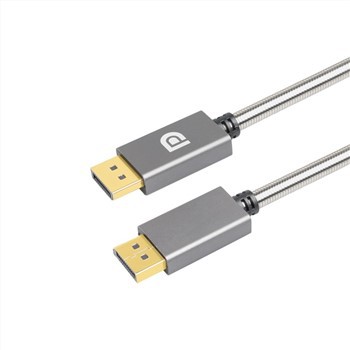
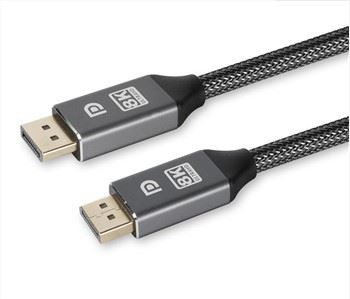
A displayport cable is used to connect a computer or other device to a monitor or display device. It is specifically designed to transmit video and audio signals over a single cable using the displayport standard. Displayport cables have a unique connector with 20 or more pins and are available in different lengths to accommodate different distances between the source device and the display device. Displayport cables are commonly used in computer systems and can support resolutions up to 8k, high refresh rates and hdr content. They can also be used to daisy-chain multiple display devices, allowing for a multi-monitor setup without the need for multiple cables.
Advantages of Displayport Cable
Higher bandwidth
Compared to other display interfaces like HDMI port, displayport cable offers a larger maximum bandwidth, allowing it to handle higher resolutions, refresh rates, and color depths. For demanding applications like gaming, video editing, and graphic design, this makes it a good pick.
Multi-monitor support
One displayport cable output can link to several monitors because daisy-chaining is supported. This can make multi-monitor workstation setup and wire management simpler.
Reduced latency
Compared to previous display interfaces, displayport cable offers lower latency, which means there is less time between the time the video signal is received and the time it appears on display. This may be crucial for video games and other applications that require quick responses.
Compatibility
Since displayport cable is a widely used standard, it works with various gadgets, including laptops, graphics cards, and monitors. This implies that you can connect a range of devices to displayport cable and use high-quality digital video and audio.
-
-
-
-
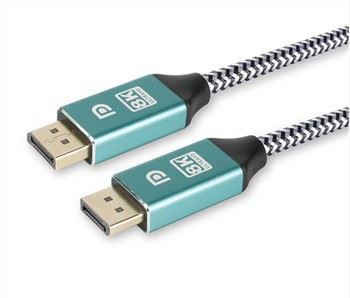 High End 1.4v DisplayPort CableHigh end 1.4v DisplayPort cable . Model Number: DP-002BAdd to Inquiry
 -
 DisplayPort Cable 8K 60HzCertification: CE, REACH, ROHS. Place of Origin: Guangdong, China. Brand Name: SKW. Model Number:Add to Inquiry
 -
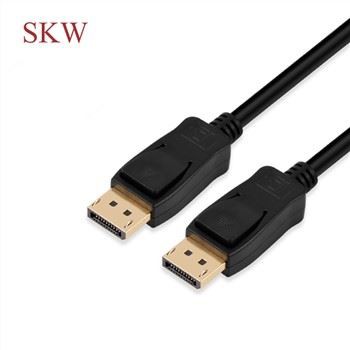 Displayport Cable V1.2Certification: CE, REACH, ROHS. Place of Origin: Guangdong, China. Brand Name: SKW. Model Number:Add to Inquiry


Tel: +86-756-8699660
Fax: +86-756-8699663
E-mail: sale-9@farreach-electronic.com
Add: No.6 Chuangye Road Est., Shuanglinpian Zone, United Harbour Industrial Area, Zhuhai, Guangdong, China
Why Choose Us
Customer settings
Besides our existing molded products, Farreach also can produce cable products according to the drawings or samples from our customers and offer free and professional design services.
Quality control
We control the product quality critically for every step during the manufacturing from raw meterial to finished products with 100% QC inspection and after sales services.All our products have 1 years warranty,you can rest assured for the quality.
Innovation
HIE was founded in 2009 and specializing in product development and brand operation of consumer electronics and that enhance the digital life of people all over the world. We believe that through innovative design, we can improve the way people interact with technology in their daily lives.
After-sale service
One of the greatest strengths of any product is the support that comes with it. We don’ t just stand by our products with industry-leading warranties, we stand by our customers, and treat each customer’ s question or concern as if it were our own. We support each customer with responsive, friendly, and helpful communication, seeing every question or concern as a valuable chance for us to improve.
Things to Consider When Buying Displayport Cable
Transmission speed
When purchasing a displayport cable, you should take the transmission speed into account because it might have an impact on the quality of the video signal transmitted between your computer or other video source and your display. There are various versions of displayport connections, and these versions determine the highest permitted data transmission rates. The resolution and refresh rate of your monitor and the capabilities of your graphics card or other visual sources will all influence which version of the displayport connection you select. You can have problems like poor image quality, flickering, or dark screens if you choose a displayport cable with a lower maximum data transfer rate than your display needs. This is due to the cable's limited capacity to convey the entire amount of data needed to support the resolution and refresh rate of the display. On the other hand, if you select a displayport connection with a greater maximum data transfer rate than what is necessary for your display, you might not notice any gain in performance or image quality. Selecting a displayportt connection with a maximum data transmission rate suitable for your monitor and video source is critical to have the best performance and image quality.
Cable length
When purchasing a displayport cable, remember that the length of the connection may impact the quality of the video signal sent between your computer or other video source and your display. A video signal can only be safely sent through displayport connections for a certain distance before signal deterioration occurs. Your display's resolution, refresh rate, and cable quality all impact the maximum length that can be used. If you select a displayport cable that is too lengthy for your configuration, you can encounter problems like lower visual quality, signal deterioration, or even complete signal loss. This is because signal degradation, which causes a weaker or distorted signal, can happen more frequently the longer the connection is. Nevertheless, selecting a displayport cable that is too short for your configuration may prevent you from connecting your computer or other video sources to your display, which may restrict how you may use your system.
Your computer's displayport cable can be connected to any compatible device. This includes TVs, monitors, projectors and even some HDTVs that support the standard. It's important to check your device's manual before making a purchase as not all HDTVs support the full capabilities of displayport cable (i.e., power transmission).
Many laptops come with built-in adapters that allow you to easily connect either a VGA or HDMI display via your laptop’ s built-in displayport cable cable. If not, there are plenty of inexpensive third-party adapters available on the market that do the same job as well as provide additional features such as USB ports or Ethernet connections on top of the basic video/audio connections needed for displaying images on your screen. Unlike other connection types such as HDMI or DVI which require specialized drivers in order for them to work correctly; all you need in order for your monitor's display port connection to function properly is just simply plugging it into your laptop’ s display port with no additional setup required aside from what Windows already provides by default if applicable (such as installation of generic drivers).
Most modern video cards have integrated support for the standard. Some older video cards may still have some compatibility issues however depending on their age but many times this issue can be easily resolved with updated drivers provided by the manufacturer themselves online post purchase if needed however again this depends on individual card model variations so, please consult with product specifications prior official purchase itself just in case.
This is actually quite simple! All you need is either one type of adapter called MST hub, or two types called DP MST hubs; both split one physical connection into multiple virtual ones giving you increased flexibility when connecting multiple monitors simultaneously without having any technical headaches during initial setup procedure itself due to limited number of ports available physically speaking. Additionally, these MST hubs usually carry extra benefits such as daisy chaining multiple displays which would otherwise require individual cables between each one connected separately etc.
Displayport cable connections require special cables with the same type of connector on both ends; these are commonly referred to as ‘ displayport cable’. The standard is designed to be compatible with any device that uses the same type of connector, so it doesn’ t matter which brand or type you choose if the cable meets certain basic technical specifications such as wire gauge and shielding. Additionally, some cables have additional features like power transmission and latching connectors which will make them more reliable in certain situations.

Several different types of displayport cable are available, each with unique advantages. However, it should be noted that all displayport cables are compatible with all displayport devices, regardless of the type or version. There are two main types of displayport cable, the standard cable, and a smaller version called Mini displayport . The standard cable is most commonly used. However, the Mini displayport is ideal for smaller devices and compatibility with Apple equipment.
It should also be noted that these connector types differ only in terms of their physical size and shape. Functionality and capabilities are the same across both standard and mini connectors so features or performance will not be impacted by the connector type used. displayport cables are typically compatible with a range of computing equipment and devices such as PCs, laptops, monitors, and displays. displayport is usually used for commercial and professional-grade devices, whereas HDMI is more consumer-focused. However, some high-quality domestic devices and computing equipment does use displayport, for example, high-end graphics cards, or high-resolution monitors. Suitable for use with internal and external display connections, displayport is a versatile technology that is ideal for use with high-performance devices. It is highly beneficial for simultaneously supporting high resolution and high refresh rates, making it a solid choice for many applications.
How Does Displayport Cable Differ from HDMI?
Both HDMI and displayport cable are digital systems, originally designed to replace older analogue systems such as VGA. They both have the same purpose to transmit high-definition digital audio and video to a display from a source device, but this does not mean that they are the same.
There are understandably some key similarities between the two, such as image quality, but their differences should not be overlooked. Displayport cable and HDMI cables are intended for different purposes, feature different connectors, and cannot be used interchangeably. Displayport cable is primarily used on PCs, laptops, and tablets for video transmission. Unlike HDMI, it is very rarely used on consumer electronics. Another key difference is that displayport cable is subscription-free for producers, whereas HDMI must be licensed by the manufacturer.
There are also several additional features that make it easier to differentiate between the two. displayport cable offers the functionality to drive more than one display with a single cable, making it highly useful for professional applications. Conversely, HDMI can only drive a single display per cable. However, HDMI can support an ARC (Audio Return Channel) which allows sound to be sent from the display to the source device. Displayport cable does not offer this capability.
How to Diagnose and Fix Displayport Cable
Reconnect the cables
When experiencing a displayportproblem, starting with a thorough check of the cables is a good idea. Loose or faulty cables are a common culprit behind port issues. They can lead to poor connections that cause display-related problems, such as no video output. To address this, ensure the cables are properly connected to establish a stable connection. Switching cables can also help identify any cable-related issues. In some cases, the cable may be internally damaged or have a damaged connector, preventing the proper transmission of video signals. In such situations, replacing the cable may be necessary.
Clean the port
Displayportproblems can also arise from dirt, debris, or dust accumulation obstructing the connection. This is why it's essential to clean the port periodically. If it's been a while since you've cleaned the DisplayPort, you can use a can of compressed air or a soft brush to remove the dirt and debris from the port. However, handling the process carefully is crucial to avoid damaging the port. We recommend refraining from using any liquids in the process. To begin the cleaning process, switch off the computer and disconnect all cables to prevent accidental damage.
Choose the right input source
Connecting the cable to the correct active port is important if your monitor has multiple input sources. For example, if the active displayportis D1, the cable won't function properly if plugged into the D2 port. You can find information about active ports in the user manual provided by your manufacturer. Once you have determined which port is active, connect the cable and check if that fixes your problem.
Restart display drivers
Sometimes, issues with the display drivers can cause displayportproblems. These drivers act as a link between the graphics card and the operating system, and if they become outdated or corrupt, they can cause various display-related issues. One potential solution for these issues is to restart the display drivers. To do this on a Windows machine, unplug the device from the displayporton your monitor and press the Windows + Ctrl + Shift + B keys. You should hear a beep. Once you hear the beep, plug the displayportcable back in and check to see if the issue has been resolved.
Update drivers
If restarting the drivers does not work, the next thing you can do is update the display drivers. This can be done in Windows using the Device Manager utility pre-installed on your system. This utility allows the users to control and manage the hardware devices installed on the computer.
Displayport makes display cable selection pretty easy. A standard displayport cable is designed to work with any displayport source device, such as a PC or laptop, and any displayportmonitor. This means that a standard displayport cable will work with the very first displayport systems and displays introduced over ten years ago, and they will continue to work with the newest and future systems and displays that support multi-stream and display resolutions up to 5K at 60Hz. Displayport Certified cables guarantee quality connections to 8K and beyond. You can also use a standard displayport cable between a PC and a multi-stream hub, or between daisy-chainable multi-stream monitors.
A standard displayport cable, including older cables, will work for any displayport configuration including 4K and multi-stream capabilities. All certified displayport cables support HBR2 (High Bit Rate 2), which can support 4K at 60Hz, or up to four 1080p displays using multi-stream. Displayport uses packetized data, similar to USB and ethernet, to send digital diesplay and audio data. Unlike older video interfaces, you don’ t get a ‘better’ picture or other incremental improvements with a more expensive cable, but a poor quality cable could lead to data errors and obvious corruption of the video or audio data, and may be less reliable over the long term.

Our Factory
HIE was founded in 2009 and specializing in product development and brand operation of consumer electronics and that enhance the digital life of people all over the world. We believe that through innovative design, we can improve the way people interact with technology in their daily lives.

certificate


FAQ
As one of the most professional displayport cable manufacturers and suppliers in China, we're featured by good service and competitive price. Please rest assured to wholesale high quality displayport cable made in China here from our factory.
High end audio cable, 8 in 1 Type C HUB, Sigle color PVC molding HDMI Cable